
Multi-Account Management
One login across every fund, trust and entity you administer. Permissions per entity and per user, four-eye approval on every payment, and a complete audit trail.

Trust companies, fund administrators and managers rarely run a single account. They run dozens of vehicles, each with its own directors, trustees and signatories, and often each with its own bank, login and statement format. Approvals move by email and wet-ink forms, outside any audit trail.
Bloomsbury Money brings every entity you administer onto one platform. Your team works across all of them from a single login, while each vehicle keeps its own accounts, its own signing rules and its own records.
One login, every entity
Move between funds, trusts, cells and SPVs without switching banks, portals or credentials.
Four-eye control
Every payment, beneficiary and mandate change is prepared by one person and approved by another.
Audit-ready records
Who did what, and when, recorded for every entity and exportable for auditors and boards.
The structure
One platform for the whole structure
The manager, administrator or trust company operates the platform. Bloomsbury Money holds accounts for each entity beneath it.
Operations
Manager, administrator or trust company
One login across every entity
•
Permissions set per entity and per user
•
Prepare, review, report and export
•
Approve only where the mandate allows
•
operates
↓
Platform
Bloomsbury Money
Multi-currency accounts
•
Global payments
•
Spot FX and OTC desk
•
Digital assets
•
Reporting and audit trail
•
holds accounts for
↓
Funds
Subscription, operating and distribution accounts
Trusts & foundations
Trustee accounts for each trust
GP & manager entities
Operating and fee accounts
Cells, SPVs & holding companies
One account per entity, same approvals
User permissions
Roles scoped to each entity, not to the login
Assign your own people per entity: a fund accountant or trust officer as preparer, a senior colleague as reviewer, and the vehicle’s directors, trustees or general partner as approvers.
A user on one structure sees nothing of another unless added to it, while administrators manage users across every entity from one place. Auditors can be given time-limited, read-only access with a full export of the audit log.
Admin
View balances, statements and audit log
•
Manage users, limits and approval rules
•
Export reports and confirmations
•
Approver
View balances, statements and audit log
•
Approve payments and new beneficiaries
•
Export reports and confirmations
•
Preparer
View balances, statements and audit log
•
Create payments, batches and FX instructions
•
Export reports and confirmations
•
Viewer
View balances, statements and audit log
•
Export reports and confirmations
•
Illustrative default roles. Rules are configured at onboarding to each vehicle’s signing mandate and can require any number of approvers.
Four-eye sign-off
Every payment passes through separate hands
Prepared by one user. Approved by another. Recorded for the auditor.
Step 1
Prepare
A fund accountant or trust officer creates the payment or batch against an approved beneficiary, with reference and supporting document.
Step 2
Review
A second user checks amount, beneficiary and reference. The preparer can never approve their own instruction.
Step 3
Approve
Authorised signatories approve in-app with multi-factor authentication: any two of, A and B classes, or thresholds by amount and currency.
Step 4
Release & record
The payment is released, and every step is time-stamped with user, device and IP address in the audit log.
Initiator never approves
Thresholds by amount and currency
Any two of, or A + B classes
New beneficiaries need dual approval
Batches approved in one action
Mandate changes need dual approval
@harbourtrust
→
@harbourholdco
$1,765,000.00 USD
Settled instantly · Fees: $0
Bloomsbury ID
Move money between entities instantly
Fund a trust’s underlying company, move capital between a fund and its SPVs, or pay a manager its fee. Transfers between eligible Bloomsbury Money accounts settle instantly, 24/7, in any supported currency, at no cost.
Reporting
Reporting built for NAV, audit and beneficiaries
Statements & transaction reports
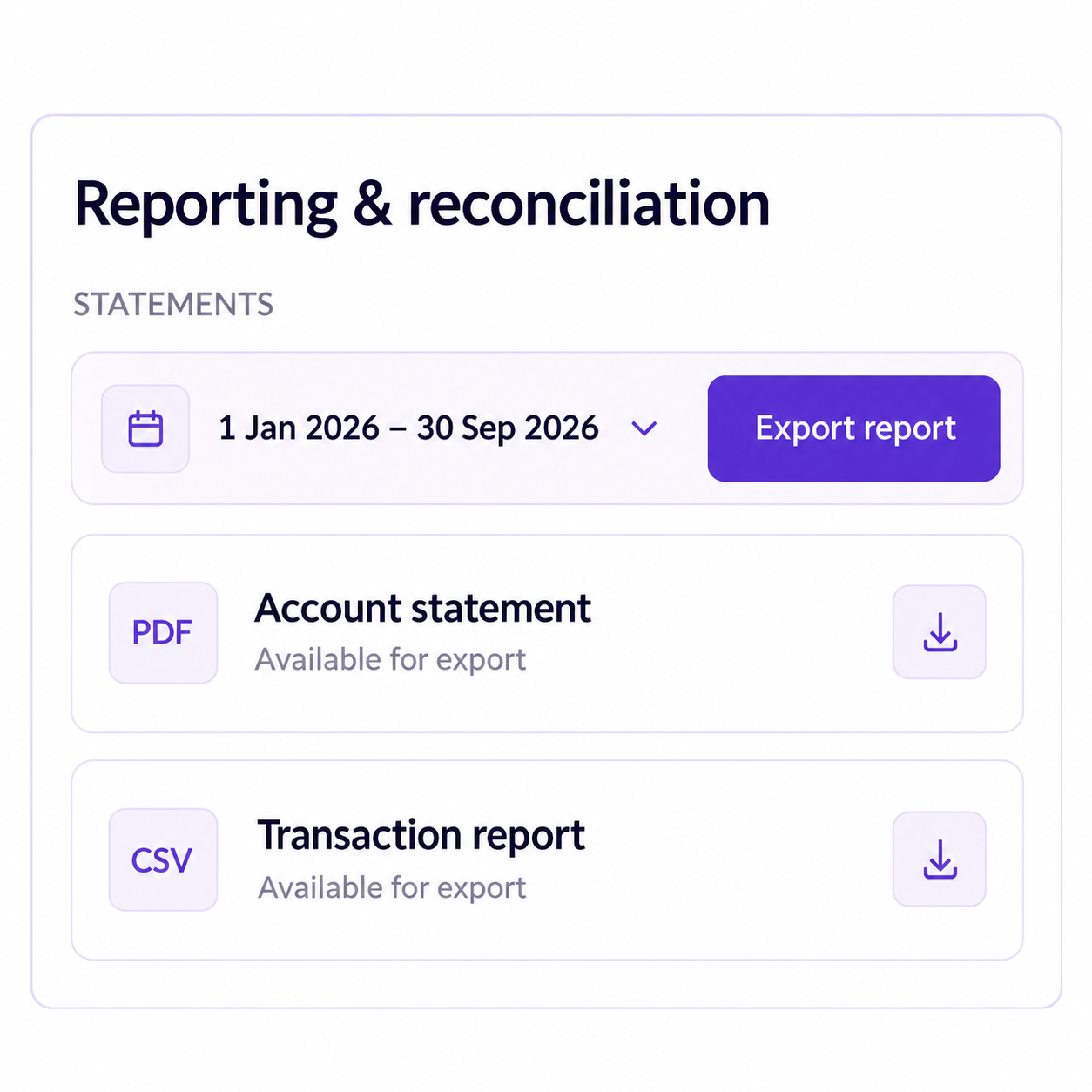
Downloadable statements, transaction reports and payment records per account and period, for reconciliation, accounting and NAV support.
MT103 confirmations
A formal record of eligible SWIFT payments, to support tracing, settlement verification and investor or beneficiary queries.
Audit trail
Who prepared, reviewed and approved every payment, and when. Exportable for auditors and for an administrator’s own controls reviews.
Security
Security, built in
The controls administrators, boards and auditors expect of any payments provider: segregation of duties, strong authentication, limits, monitoring and a complete audit trail.
Multi-factor authentication
On login and on every approval.
Transaction & daily limits
Per user, per entity and per currency.
Beneficiary controls
Approved payees only; new ones need dual approval.
Ongoing monitoring
Transaction monitoring and sanctions screening on every payment.
Role-based access
Scoped to the entity and administered centrally.
Full audit log
Every action, user, device and timestamp, exportable.

Move forward with confidence
Bloomsbury’s services go beyond banking products - they represent a partnership. Whether you’re building a business or managing personal wealth, our platform and team are here to help you succeed globally.
Open an account ↗


Multi-Account Management
One login across every fund, trust and entity you administer. Permissions per entity and per user, four-eye approval on every payment, and a complete audit trail.
Trust companies, fund administrators and managers rarely run a single account. They run dozens of vehicles, each with its own directors, trustees and signatories, and often each with its own bank, login and statement format. Approvals move by email and wet-ink forms, outside any audit trail.
Bloomsbury Money brings every entity you administer onto one platform. Your team works across all of them from a single login, while each vehicle keeps its own accounts, its own signing rules and its own records.
One login, every entity
Move between funds, trusts, cells and SPVs without switching banks, portals or credentials.
Four-eye control
Every payment, beneficiary and mandate change is prepared by one person and approved by another.
Audit-ready records
Who did what, and when, recorded for every entity and exportable for auditors and boards.
The structure
One platform for the whole structure
The manager, administrator or trust company operates the platform. Bloomsbury Money holds accounts for each entity beneath it.
Operations
Manager, administrator or trust company
One login across every entity
•
Permissions set per entity and per user
•
Prepare, review, report and export
•
Approve only where the mandate allows
•
operates
↓
Platform
Bloomsbury Money
Multi-currency accounts
•
Global payments
•
Spot FX and OTC desk
•
Digital assets
•
Reporting and audit trail
•
holds accounts for
↓
Funds
Subscription, operating and distribution accounts
Trusts & foundations
Trustee accounts for each trust
GP & manager entities
Operating and fee accounts
Cells, SPVs & holding companies
One account per entity, same approvals
User permissions
Roles scoped to each entity, not to the login
Assign your own people per entity: a fund accountant or trust officer as preparer, a senior colleague as reviewer, and the vehicle’s directors, trustees or general partner as approvers.
A user on one structure sees nothing of another unless added to it, while administrators manage users across every entity from one place. Auditors can be given time-limited, read-only access with a full export of the audit log.
Action
Admin
Approver
Preparer
Viewer
View balances, statements and audit log
●
●
●
●
Create payments, batches and FX instructions
–
–
●
–
Approve payments and new beneficiaries
–
●
–
–
Manage users, limits and approval rules
●
–
–
–
Export reports and payment confirmations
●
●
●
●
Illustrative default roles. Rules are configured at onboarding to each vehicle’s signing mandate and can require any number of approvers.
Four-eye sign-off
Every payment passes through separate hands
Prepared by one user. Approved by another. Recorded for the auditor.
Step 1
Prepare
A fund accountant or trust officer creates the payment or batch against an approved beneficiary, with reference and supporting document.
Step 2
Review
A second user checks amount, beneficiary and reference. The preparer can never approve their own instruction.
Step 3
Approve
Authorised signatories approve in-app with multi-factor authentication: any two of, A and B classes, or thresholds by amount and currency.
Step 4
Release & record
The payment is released, and every step is time-stamped with user, device and IP address in the audit log.
Initiator never approves
Thresholds by amount and currency
Any two of, or A + B classes
New beneficiaries need dual approval
Batches approved in one action
Mandate changes need dual approval
@harbourtrust
→
@harbourholdco
$1,765,000.00 USD
Settled instantly · Fees: $0
Bloomsbury ID
Move money between entities instantly
Fund a trust’s underlying company, move capital between a fund and its SPVs, or pay a manager its fee. Transfers between eligible Bloomsbury Money accounts settle instantly, 24/7, in any supported currency, at no cost.
Reporting
Reporting built for NAV, audit and beneficiaries
Statements & transaction reports
Downloadable statements, transaction reports and payment records per account and period, for reconciliation, accounting and NAV support.
MT103 confirmations
A formal record of eligible SWIFT payments, to support tracing, settlement verification and investor or beneficiary queries.
Audit trail
Who prepared, reviewed and approved every payment, and when. Exportable for auditors and for an administrator’s own controls reviews.
Security
Security, built in
The controls administrators, boards and auditors expect of any payments provider: segregation of duties, strong authentication, limits, monitoring and a complete audit trail.
Multi-factor authentication
On login and on every approval.
Transaction & daily limits
Per user, per entity and per currency.
Beneficiary controls
Approved payees only; new ones need dual approval.
Ongoing monitoring
Transaction monitoring and sanctions screening on every payment.
Role-based access
Scoped to the entity and administered centrally.
Full audit log
Every action, user, device and timestamp, exportable.
Move forward with confidence
Bloomsbury’s services go beyond banking products - they represent a partnership. Whether you’re building a business or managing personal wealth, our platform and team are here to help you succeed globally.
Open an account ↗
Multi-Account Management
One login across every fund, trust and entity you administer. Permissions per entity and per user, four-eye approval on every payment, and a complete audit trail.
Trust companies, fund administrators and managers rarely run a single account. They run dozens of vehicles, each with its own directors, trustees and signatories, and often each with its own bank, login and statement format. Approvals move by email and wet-ink forms, outside any audit trail.
Bloomsbury Money brings every entity you administer onto one platform. Your team works across all of them from a single login, while each vehicle keeps its own accounts, its own signing rules and its own records.
One login, every entity
Move between funds, trusts, cells and SPVs without switching banks, portals or credentials.
Four-eye control
Every payment, beneficiary and mandate change is prepared by one person and approved by another.
Audit-ready records
Who did what, and when, recorded for every entity and exportable for auditors and boards.
The structure
One platform for the whole structure
The manager, administrator or trust company operates the platform. Bloomsbury Money holds accounts for each entity beneath it.
Operations
Manager, administrator or trust company
One login across every entity
•
Permissions set per entity and per user
•
Prepare, review, report and export
•
Approve only where the mandate allows
•
operates
→
Platform
Bloomsbury Money
Multi-currency accounts
•
Global payments
•
Spot FX and OTC desk
•
Digital assets
•
Reporting and audit trail
•
holds accounts for
→
Funds
Subscription, operating and distribution accounts
Trusts & foundations
Trustee accounts for each trust
GP & manager entities
Operating and fee accounts
Cells, SPVs & holding companies
One account per entity, same approvals
User permissions
Roles scoped to each entity, not to the login
Assign your own people per entity: a fund accountant or trust officer as preparer, a senior colleague as reviewer, and the vehicle’s directors, trustees or general partner as approvers.
A user on one structure sees nothing of another unless added to it, while administrators manage users across every entity from one place. Auditors can be given time-limited, read-only access with a full export of the audit log.
Action
Admin
Approver
Preparer
Viewer
View balances, statements and audit log
●
●
●
●
Create payments, batches and FX instructions
–
–
●
–
Approve payments and new beneficiaries
–
●
–
–
Manage users, limits and approval rules
●
–
–
–
Export reports and payment confirmations
●
●
●
●
Illustrative default roles. Rules are configured at onboarding to each vehicle’s signing mandate and can require any number of approvers.
Four-eye sign-off
Every payment passes through separate hands
Prepared by one user. Approved by another. Recorded for the auditor.
Step 1
Prepare
A fund accountant or trust officer creates the payment or batch against an approved beneficiary, with reference and supporting document.
Step 2
Review
A second user checks amount, beneficiary and reference. The preparer can never approve their own instruction.
Step 3
Approve
Authorised signatories approve in-app with multi-factor authentication: any two of, A and B classes, or thresholds by amount and currency.
Step 4
Release & record
The payment is released, and every step is time-stamped with user, device and IP address in the audit log.
Initiator never approves
Thresholds by amount and currency
Any two of, or A + B classes
New beneficiaries need dual approval
Batches approved in one action
Mandate changes need dual approval
@harbourtrust
→
@harbourholdco
$1,765,000.00 USD
Settled instantly · Fees: $0
Bloomsbury ID
Move money between entities instantly
Fund a trust’s underlying company, move capital between a fund and its SPVs, or pay a manager its fee. Transfers between eligible Bloomsbury Money accounts settle instantly, 24/7, in any supported currency, at no cost.
Reporting
Reporting built for NAV, audit and beneficiaries
Statements & transaction reports
Downloadable statements, transaction reports and payment records per account and period, for reconciliation, accounting and NAV support.
MT103 confirmations
A formal record of eligible SWIFT payments, to support tracing, settlement verification and investor or beneficiary queries.
Audit trail
Who prepared, reviewed and approved every payment, and when. Exportable for auditors and for an administrator’s own controls reviews.
Security
Security, built in
The controls administrators, boards and auditors expect of any payments provider: segregation of duties, strong authentication, limits, monitoring and a complete audit trail.
Multi-factor authentication
On login and on every approval.
Transaction & daily limits
Per user, per entity and per currency.
Beneficiary controls
Approved payees only; new ones need dual approval.
Ongoing monitoring
Transaction monitoring and sanctions screening on every payment.
Role-based access
Scoped to the entity and administered centrally.
Full audit log
Every action, user, device and timestamp, exportable.
Move forward with confidence
Bloomsbury’s services go beyond banking products - they represent a partnership. Whether you’re building a business or managing personal wealth, our platform and team are here to help you succeed globally.
Open an account ↗